The easiest way to update a website.
Point at what you want changed. Talk it through with whoever has to agree. Your pipeline gets exactly what was agreed.
From the words on the page to live, in five steps.
- 01
Point
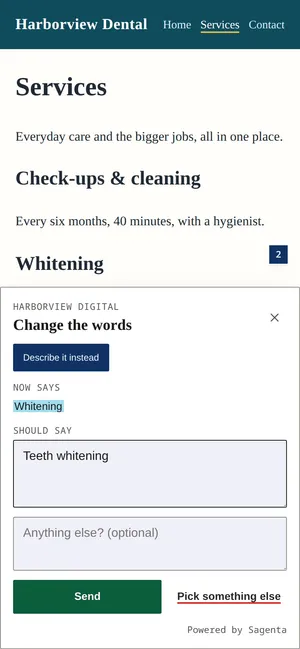
Select the words, or tap anything on your site, and say what you want.
- 02
Discuss
The people who have to agree reply beside it, on the page. Mention someone to bring them in.
- 03
Agree
One person records what was agreed. Everyone else taps “I agree”.
- 04
Sent
What was agreed goes to your pipeline by API, signed webhook and MCP, with the screenshot, the source file and your house rules.
- 05
Live
Your developer, AI agent or pipeline makes the change and says it is live. Everyone sees it.
Update your site without learning a CMS.
Point, type, agree. From your phone.
Every request, every site, one queue.
For agencies, freelancers and in-house teams: what is still being discussed, what was agreed, and who has it.
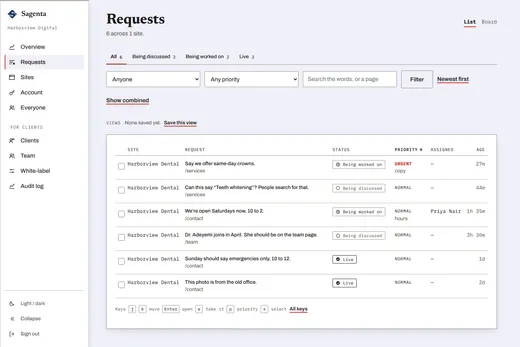
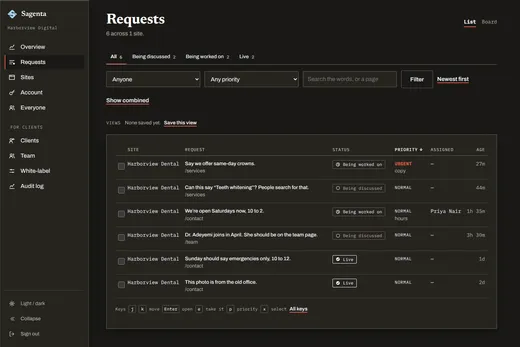
Status, priority, who has it, how long it has waited. Filters and an urgent-first sort for the busy weeks; duplicates fold into one.
Works with what you already use.
Requests arrive by API, signed webhook and MCP, with what was agreed, the screenshot, the source file and your house rules attached. Your pipeline says it is live the same way. Any developer, any AI coding agent, any CI.
A GitHub app is next: each agreed request in your repository’s own tracker. It will never hold the permission to touch your code.
POST https://your-pipeline.example/hooks/sagenta
Sagenta-Event-Id: evt_01J9...
Sagenta-Signature: t=1756800000,v1=9f2a...

{
  "type": "request.agreed",
  "siteId": "site_harborview",
  "data": {
    "request": {
      "status": "published",
      "instruction": "Saturdays 10–2 from 1 March.",
      "annotation": {
        "comment": "Open Saturdays now, 10 to 2.",
        "elementPath": "footer > .hours",
        "sagenta": {
          "sourceHint": {
            "file": "src/content/site.yaml",
            "line": 14
          }
        }
      }
    },
    "site": {
      "name": "Harborview Dental",
      "brief": "## Never touch
The booking form."
    }
  }
}
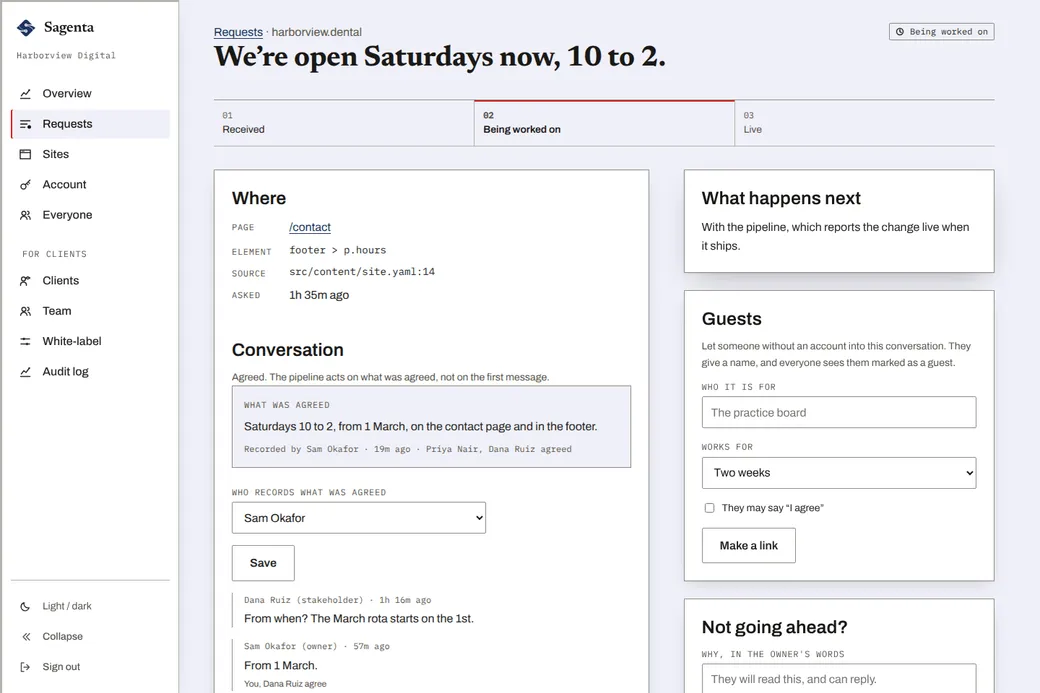
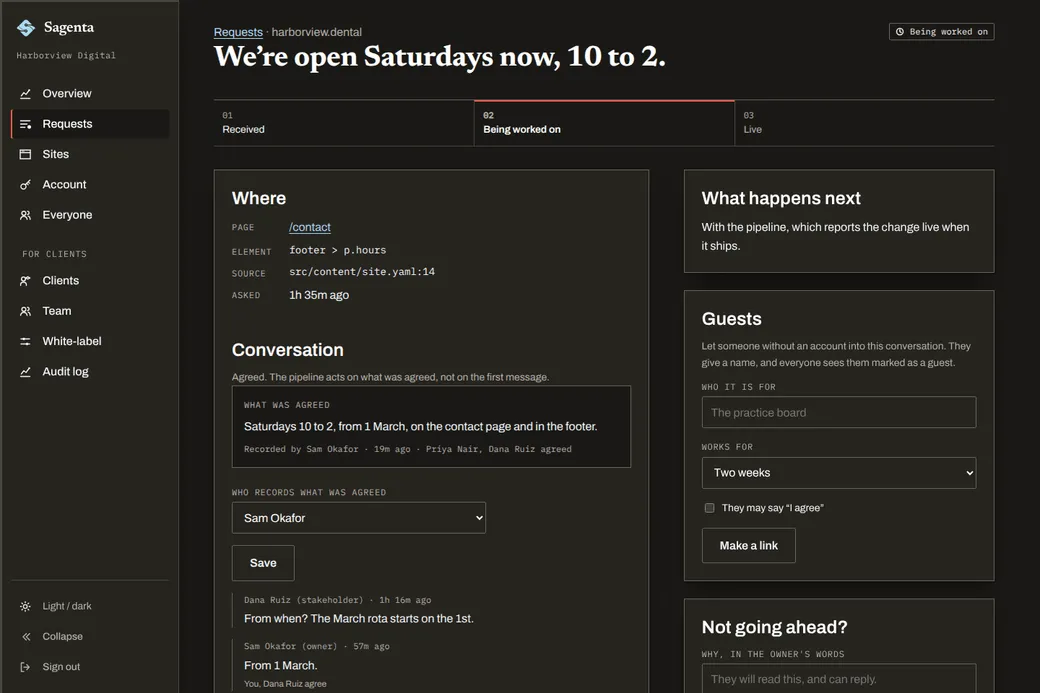
What was asked, and what was agreed.
Every request keeps where it is on the page and in your source, the conversation about it, and what was agreed, with who recorded it and who agreed. Your pipeline acts on what was agreed, not on the first message. Nothing to write up, nothing lost on the way.
Everyone else skips the part where people agree.
Pin tools
End as a list somebody reads.
AI site editors
One person, a few seconds, nobody else asked.
Sagenta
Talked through, agreed, then made.
Get in early.
Solo builders, agencies, in-house teams. Tell us about your sites and a person replies.